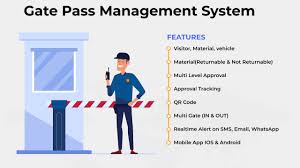
Item Description
🛡️ JA Square - Smart GatePass System
A professional, high-speed Visitor Management System (VMS) built with PHP and Material Design 3 (M3). This system allows for digital registration, QR-based pass issuance, and real-time camera scanning for security verification.
🚀 Key Features
M3 Dashboard: Modern, card-based interface with real-time visitor statistics.
Digital Pass Generation: Instant QR code generation using a local library (No internet required).
Live Camera Scanner: Integrated Html5-QRCode scanner for instant security verification.
One-Click Setup: Automated database initialization via db_setup.php (Drop & Create logic).
Responsive UI: Optimized for both security desk desktops and handheld mobile scanners.
🛠️ Technical Stack
Frontend: HTML5, CSS3 (Material Design 3 tokens), JavaScript (ES6).
Backend: PHP 8.x.
Database: MySQL / MariaDB.
Libraries: * phpqrcode (Local QR generation).
Html5-QRCode (Camera-based scanning via CDN).
Google Material Icons Sharp.
📁 Project Structure
Plaintext
/ja-square-vms
│
├── db_connect.php # MySQL database connection settings
├── db_setup.php # AUTO-INSTALL: Drops and Recreates the DB
├── header.php # M3 Sidebar and Navigation logic
├── footer.php # Global scripts and closing tags
│
├── dashboard.php # Main analytics and entry point
├── issued_pass.php # Master record of all visitor history
├── digital_pass.php # The printable/mobile ticket with QR
├── scan.php # Camera-based scanner interface
├── verify_pass.php # Manual/Auto status check of any Pass ID
│
└── phpqrcode/ # Local folder for QR code logic
⚙️ Installation & Setup
Clone the Repository to your local server (XAMPP/WAMP/Laragon).
Configure Database:
Open db_connect.php.
Update your credentials ($db_host, $db_user, $db_pass, $db_name).
Run System Setup:
Navigate to http://localhost/your-project-folder/db_setup.php in your browser.
Warning: This will drop any existing tables and create the fresh schema for the demo.
Access the App:
Login (if auth is enabled) or go straight to dashboard.php.
📸 Usage for Demo
Register: Go to the Dashboard and add a New Visitor.
View Pass: Click the "Contactless" icon to see the Digital Pass.
Scan: Use another device (or another tab) to open Scan Pass. Point the camera at the QR code.
Verify: The system will automatically redirect to the Verify Pass screen to show "VALID" or "EXPIRED".
A professional, high-speed Visitor Management System (VMS) built with PHP and Material Design 3 (M3). This system allows for digital registration, QR-based pass issuance, and real-time camera scanning for security verification.
🚀 Key Features
M3 Dashboard: Modern, card-based interface with real-time visitor statistics.
Digital Pass Generation: Instant QR code generation using a local library (No internet required).
Live Camera Scanner: Integrated Html5-QRCode scanner for instant security verification.
One-Click Setup: Automated database initialization via db_setup.php (Drop & Create logic).
Responsive UI: Optimized for both security desk desktops and handheld mobile scanners.
🛠️ Technical Stack
Frontend: HTML5, CSS3 (Material Design 3 tokens), JavaScript (ES6).
Backend: PHP 8.x.
Database: MySQL / MariaDB.
Libraries: * phpqrcode (Local QR generation).
Html5-QRCode (Camera-based scanning via CDN).
Google Material Icons Sharp.
📁 Project Structure
Plaintext
/ja-square-vms
│
├── db_connect.php # MySQL database connection settings
├── db_setup.php # AUTO-INSTALL: Drops and Recreates the DB
├── header.php # M3 Sidebar and Navigation logic
├── footer.php # Global scripts and closing tags
│
├── dashboard.php # Main analytics and entry point
├── issued_pass.php # Master record of all visitor history
├── digital_pass.php # The printable/mobile ticket with QR
├── scan.php # Camera-based scanner interface
├── verify_pass.php # Manual/Auto status check of any Pass ID
│
└── phpqrcode/ # Local folder for QR code logic
⚙️ Installation & Setup
Clone the Repository to your local server (XAMPP/WAMP/Laragon).
Configure Database:
Open db_connect.php.
Update your credentials ($db_host, $db_user, $db_pass, $db_name).
Run System Setup:
Navigate to http://localhost/your-project-folder/db_setup.php in your browser.
Warning: This will drop any existing tables and create the fresh schema for the demo.
Access the App:
Login (if auth is enabled) or go straight to dashboard.php.
📸 Usage for Demo
Register: Go to the Dashboard and add a New Visitor.
View Pass: Click the "Contactless" icon to see the Digital Pass.
Scan: Use another device (or another tab) to open Scan Pass. Point the camera at the QR code.
Verify: The system will automatically redirect to the Verify Pass screen to show "VALID" or "EXPIRED".
Item Description
🛡️ JA Square - Smart GatePass System
A professional, high-speed Visitor Management System (VMS) built with PHP and Material Design 3 (M3). This system allows for digital registration, QR-based pass issuance, and real-time camera scanning for security verification.
🚀 Key Features
M3 Dashboard: Modern, card-based interface with real-time visitor statistics.
Digital Pass Generation: Instant QR code generation using a local library (No internet required).
Live Camera Scanner: Integrated Html5-QRCode scanner for instant security verification.
One-Click Setup: Automated database initialization via db_setup.php (Drop & Create logic).
Responsive UI: Optimized for both security desk desktops and handheld mobile scanners.
🛠️ Technical Stack
Frontend: HTML5, CSS3 (Material Design 3 tokens), JavaScript (ES6).
Backend: PHP 8.x.
Database: MySQL / MariaDB.
Libraries: * phpqrcode (Local QR generation).
Html5-QRCode (Camera-based scanning via CDN).
Google Material Icons Sharp.
📁 Project Structure
Plaintext
/ja-square-vms
│
├── db_connect.php # MySQL database connection settings
├── db_setup.php # AUTO-INSTALL: Drops and Recreates the DB
├── header.php # M3 Sidebar and Navigation logic
├── footer.php # Global scripts and closing tags
│
├── dashboard.php # Main analytics and entry point
├── issued_pass.php # Master record of all visitor history
├── digital_pass.php # The printable/mobile ticket with QR
├── scan.php # Camera-based scanner interface
├── verify_pass.php # Manual/Auto status check of any Pass ID
│
└── phpqrcode/ # Local folder for QR code logic
⚙️ Installation & Setup
Clone the Repository to your local server (XAMPP/WAMP/Laragon).
Configure Database:
Open db_connect.php.
Update your credentials ($db_host, $db_user, $db_pass, $db_name).
Run System Setup:
Navigate to http://localhost/your-project-folder/db_setup.php in your browser.
Warning: This will drop any existing tables and create the fresh schema for the demo.
Access the App:
Login (if auth is enabled) or go straight to dashboard.php.
📸 Usage for Demo
Register: Go to the Dashboard and add a New Visitor.
View Pass: Click the "Contactless" icon to see the Digital Pass.
Scan: Use another device (or another tab) to open Scan Pass. Point the camera at the QR code.
Verify: The system will automatically redirect to the Verify Pass screen to show "VALID" or "EXPIRED".
A professional, high-speed Visitor Management System (VMS) built with PHP and Material Design 3 (M3). This system allows for digital registration, QR-based pass issuance, and real-time camera scanning for security verification.
🚀 Key Features
M3 Dashboard: Modern, card-based interface with real-time visitor statistics.
Digital Pass Generation: Instant QR code generation using a local library (No internet required).
Live Camera Scanner: Integrated Html5-QRCode scanner for instant security verification.
One-Click Setup: Automated database initialization via db_setup.php (Drop & Create logic).
Responsive UI: Optimized for both security desk desktops and handheld mobile scanners.
🛠️ Technical Stack
Frontend: HTML5, CSS3 (Material Design 3 tokens), JavaScript (ES6).
Backend: PHP 8.x.
Database: MySQL / MariaDB.
Libraries: * phpqrcode (Local QR generation).
Html5-QRCode (Camera-based scanning via CDN).
Google Material Icons Sharp.
📁 Project Structure
Plaintext
/ja-square-vms
│
├── db_connect.php # MySQL database connection settings
├── db_setup.php # AUTO-INSTALL: Drops and Recreates the DB
├── header.php # M3 Sidebar and Navigation logic
├── footer.php # Global scripts and closing tags
│
├── dashboard.php # Main analytics and entry point
├── issued_pass.php # Master record of all visitor history
├── digital_pass.php # The printable/mobile ticket with QR
├── scan.php # Camera-based scanner interface
├── verify_pass.php # Manual/Auto status check of any Pass ID
│
└── phpqrcode/ # Local folder for QR code logic
⚙️ Installation & Setup
Clone the Repository to your local server (XAMPP/WAMP/Laragon).
Configure Database:
Open db_connect.php.
Update your credentials ($db_host, $db_user, $db_pass, $db_name).
Run System Setup:
Navigate to http://localhost/your-project-folder/db_setup.php in your browser.
Warning: This will drop any existing tables and create the fresh schema for the demo.
Access the App:
Login (if auth is enabled) or go straight to dashboard.php.
📸 Usage for Demo
Register: Go to the Dashboard and add a New Visitor.
View Pass: Click the "Contactless" icon to see the Digital Pass.
Scan: Use another device (or another tab) to open Scan Pass. Point the camera at the QR code.
Verify: The system will automatically redirect to the Verify Pass screen to show "VALID" or "EXPIRED".